
The Nintendo 3DS revived the race for consumer innovations by offering, as early as 2011, glasses-free stereoscopic 3D on a handheld console. More than just a visual gimmick, this device was accompanied by a digital ecosystem — the eShop — which transformed the distribution and preservation of games on the machine. This article explores the technical operation of the 3D, the eShop offerings, the place of the 3DS in the history of handheld consoles, and what made it successful as well as its limitations.
Sommaire
In brief
🔍 Glasses-free 3D: the 3DS uses an autostereoscopic screen where a lens system directs two distinct images to each eye, offering a depth effect without accessories.
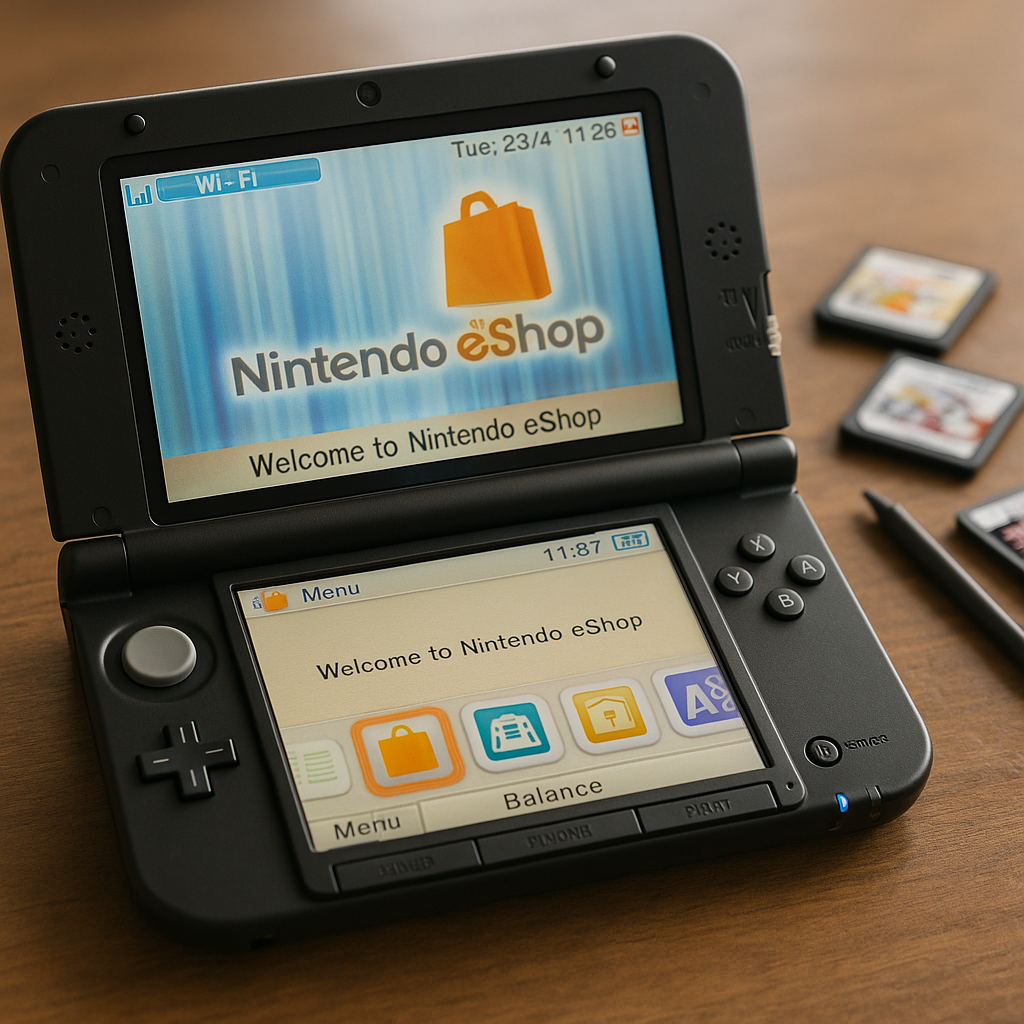
💾 eShop: integrated digital store, allowing the purchase, download, and archiving of games, demos, and additional content, with an emphasis on backward compatibility with the Nintendo DS.
⚙️ Technical specifications: ARM processor, modest RAM, proprietary cartridges, and a lenticular upper screen — a compromise between power and battery life.
🎮 Competition: facing smartphones and competing handheld consoles (PSP/Vita), the 3DS bet on adapted games, familiar ergonomics, and a strong first-party catalog.
How does glasses-free 3D work on the 3DS?
The promise of the 3DS lay in a remarkably simple visual illusion to explain but delicate to implement: reproducing two perspectives of the same scene, one for the left eye, the other for the right eye, then orienting these images so that each eye sees only the view intended for it. The console does this via a lenticular screen placed in front of the display — a kind of micro-lens array — which splits the visual field. The result, properly calibrated, provides depth without resorting to glasses or other accessories.
Advantages and limitations of the technology
The main advantage is accessibility: no accessories, no external adjustment, and immersion is immediate for the user properly positioned in front of the screen. However, the perception of 3D strongly depends on the player’s angle and distance. Too much misalignment causes a loss of effect, or even visual fatigue for some. Nintendo therefore integrated an adjustment slider on the console and software mechanisms to reduce depth when necessary, offering a compromise between visual effect and comfort.
Examples of use where 3D adds real value
In exploration or platform games, 3D enhances level readability and the sense of relief, facilitating the evaluation of jumps and distances. Cinematic sequences also benefit from enhanced staging: depth transforms an animation into a small living painting. Conversely, for fast and competitive games, some players prefer to disable 3D to avoid distraction.
The eShop: store, archives, and digital distribution
The eShop represented the most lasting paradigm shift brought by the 3DS: the transition from a cartridge-centered model to a digital ecosystem that allowed the distribution of indie games, updated classics, and downloadable titles. Beyond purchases, the eShop served as an access point for demos, online services, and firmware updates — essential elements to extend the lifespan of a console.
Key features of the eShop
- Purchase and direct download of full games and demos.
- Backup service and re-download capabilities on the same Nintendo ID.
- Portals to classics from previous consoles (Virtual Console) and remasters.
- Limited offers and promotions, often synchronized with Nintendo events.
Game preservation and issues for collectors
The eShop raised the issue of digital archiving: when a digital store closes, titles can disappear from the market, leaving owners of downloaded copies the only option to enjoy them. This revived the debate on the longevity of digital libraries, especially since the 3DS also offered a vast physical cartridge catalog, often safer for long-term preservation.
Technical specifications
Here is a technical summary to understand the hardware choices that guided the design of the 3DS and their impact on the user experience.
| Element | Characteristic |
|---|---|
| CPU | Dual ARM processor (ARM11 + dedicated graphics processor) |
| GPU | PICA200 GPU (capable of stereoscopic 3D rendering) |
| RAM | 128 MB (effective rate depending on usage) |
| Storage | Proprietary cartridges + internal memory and SD card for the eShop |
| Screen | Upper 3.53″ lenticular screen (3D), lower 3.02″ touchscreen |
| Connectivity | Wi‑Fi 802.11b/g, StreetPass, SpotPass |
| Battery life | 3 to 5 hours depending on 3D intensity and brightness |
| Supported formats | 3DS/DS cartridges, eShop downloads |
The 3DS versus competing computers
At the time of its release, the 3DS not only faced other consoles — it had to contend with a shift in the digital landscape: the rise of smartphones and the arrival of competing portable machines. Calling these rivals “competing computers” is relevant, as many of them offered computing power and application ecosystems comparable to microcomputers.
Smartphones and tablets
Smartphones disrupted usage patterns: high-resolution screens, rich app stores, and continuous network connectivity led to a shift of casual gamers towards mobile experiences. Smartphones rely on immediacy and connectivity, strengths that the 3DS compensated for with a deeper gameplay offering and strong licenses (Mario, Zelda, Pokémon). Nevertheless, the colossal number of free games and the accessibility of mobile stores fragmented players’ attention and budgets.
Competing portable consoles (PSP / Vita)
Sony offered solutions more “computer-like” with the PSP, then the PlayStation Vita: OLED/Retina screens, superior raw power, and an app store oriented towards AAA games and indies. The Vita aimed to be a best-of between portable and home console, with multimedia applications. However, its less extensive first-party catalog and sometimes misunderstood marketing choices favored the 3DS, which capitalized on Nintendo’s identity and the strength of its historic series.
Laptops and Mini-PCs
For gamers seeking performance, laptops remain superior — but they target a different audience, willing to sacrifice portability and battery life for power. The 3DS prioritized ergonomics, battery life, and the specificity of the cartridge/download format, offering an instant and dedicated experience for console-oriented games.
Catalog, Exclusives, and Game Design
What kept the 3DS alive, beyond the 3D, is the quality and diversity of its catalog: exclusive Nintendo titles, renewed franchises, and a constant stream of indie experiences on the eShop. The console welcomed short and deep games, perfectly designed for mobile sessions. The development tools, less demanding than on major machines, also favored the emergence of small creative teams.
In terms of design, Nintendo often favored clear and accessible mechanics, where 3D acts as an aesthetic and functional enhancement rather than an end in itself. This approach allowed games where depth improves spatial understanding without becoming the center of attention.
The 3DS in Console History
The 3DS is both an evolution and a turning point: a technical evolution from the DS, and a transition toward digital distribution models dominated by the eShop. To place this transition in a broader perspective, one can follow the evolution of consoles from the 1970s to today through historical syntheses that show how each generation redefined economic models and player expectations. For those wishing to deepen this timeline, a dedicated resource on the evolution of consoles offers a comprehensive overview of successive revolutions.
Practical Advice for Players
- Test the 3D in-store to adjust the depth to your visual comfort.
- Favor cartridges for games you want to keep indefinitely.
- Use the eShop to discover indie gems and take advantage of temporary promotions.
- Keep a spare SD card to transfer saves and downloads.
Closing the Cycle and Legacy
The 3DS left a lasting mark: it showed that accessible 3D could exist, but also that the value of a console mainly lies in its catalog and ecosystem. The impact of the eShop extends today: it served as a model for digital distribution everywhere else in the gaming landscape. As generations succeed each other, the 3DS appears as a successful compromise between hardware innovation and software strategy.
FAQ
Does the 3DS 3D strain the eyes?
For some people, prolonged use of 3D can cause visual fatigue or headaches. Nintendo provided a gradual adjustment and the possibility to completely disable 3D. Testing different adjustment levels for a few minutes helps determine a comfortable threshold.
Can eShop purchases be transferred to a new 3DS?
Yes, Nintendo has offered data transfer tools between consoles linked to the same ID, but the procedures depend on policies in place at the time of transfer. Keeping a backup on an SD card often facilitates the operation.
Does the 3DS still work today?
Yes, many 3DS consoles still work. However, the availability of online services and updates depends on Nintendo’s current policies. Physical cartridges remain the safest method to preserve long-term access to games.
Which games make the best use of 3D?
2.5D platform games, exploration titles, and certain Nintendo productions (Mario, Zelda, etc.) particularly make good use of depth to improve readability and staging.
