
Choosing a mapping service for an application is not a matter of taste, it is a technical, financial and legal issue. OpenStreetMap and Google Maps embody two radically different approaches: one community-based and open, the other commercial and integrated. Here I analyze the concrete differences — pricing, API capabilities, privacy — so that you can decide knowledgeably, according to your budget, scale and compliance constraints.
Sommaire
In brief
🟢 Cost: OpenStreetMap allows free access to data, but tile hosting and third-party services may generate fees. Google Maps offers a paid and predictable model with a limited free credit each month.
⚙️ API and features: Google Maps provides turnkey services (routes, traffic, Street View, mobile SDKs) with smooth integration. OSM shines for flexibility and offline uses, but requires more assembly (tile servers, routing, geocoding).
🔒 Privacy: Google collects usage data and offers advanced tools, which raises privacy concerns. OSM, based on a community, reduces centralized tracking, but using third-party services can reintroduce risks.
Comparing economic models
The point that often cracks a decision: money. Google Maps Platform has shifted towards an industrial model where any usage overage quickly translates into a bill. Google offers a free monthly credit (a **$200/month credit** for many accounts) but pricing depends on the API type (Maps, Routes, Places) and call volume. For a large-scale application, costs can double depending on the use of advanced services (real-time routing, traffic, bulk geocoding).
OpenStreetMap offers data freely accessible under the ODbL license; this means the data itself is free, but not necessarily the infrastructure serving it. If you host your own tiles and routing servers, you bear the infrastructure costs (Cloud, caching, maintenance). Alternatively, third-party providers offer paid services based on OSM (e.g., Mapbox, MapTiler, or other tile providers) with prices often more competitive than Google’s, but variable.
Simplified cost comparison table
| Criterion | Google Maps | OpenStreetMap (self-hosted) |
|---|---|---|
| Initial cost | Low (free account) | Variable (hosting, setup) |
| Usage cost | Paid per calls (can rise quickly) | Controlled by you (infra costs) |
| Predictability | High (public pricing) | Variable (depends on architecture) |
APIs: features, limitations and integration
Technically, Google Maps is an integrated ready-to-use suite. You get mobile SDKs, map rendering, geocoding, routing with traffic, multimodal itineraries, and Places APIs to retrieve detailed information on establishments. The API is documented, stable and supported by commercial support — a real advantage if you develop a product intended for professional clients.
OpenStreetMap is not a single API but a data source. To turn OSM into a usable service, you need to assemble components: raster tiles/VectorTiles (via Mapnik, TileServer), routing engines (OSRM, GraphHopper), and geocoders (Nominatim). This modularity offers complete freedom: you control the data, customize the rendering, and optimize performance according to your needs. However, the integration effort is higher.
Key Features — practical comparison
- Real-time routing: Google offers reliable traffic and ETA thanks to its massive datasets, while OSM + OSRM can be excellent for offline or customized strategies.
- Geocoding: Google excels in urban precision; Nominatim/Photon (OSM) is very good for most uses but requires tuning for complex addresses.
- Map display: Google provides proprietary styles and Street View; OSM allows open-source styles and fully customizable rendering.
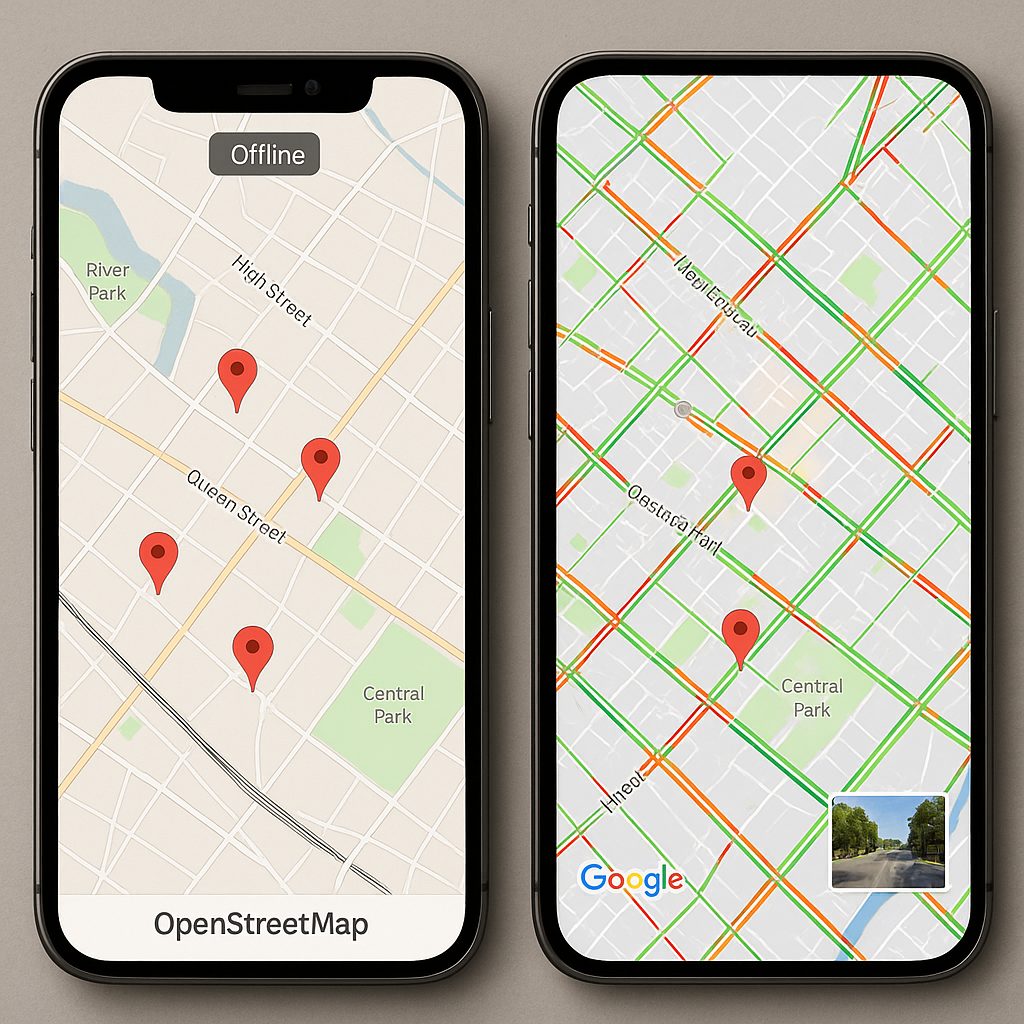
Prompt image: Photorealistic side-by-side composition showing a mobile app split-screen — left: OpenStreetMap styled vector map with custom markers and offline indicator; right: Google Maps with live traffic overlay and Street View thumbnail. Clean UI, neutral color palette, realistic lighting, high resolution.
Privacy and data governance
On the topic of privacy, the differences are structural. Google collects usage logs, locations, and traces to improve its services and monetize the ecosystem. Even though privacy features are improving on the Google platform, the architecture remains centered on data collection and aggregation.
OSM, due to its community governance (OSM Foundation) and its open data nature, does not impose centralized tracking linked to providers. However, using a third-party tile provider or a geocoding service based on OSM can result in independent data collection. In summary: OSM offers you the ability to minimize tracking — if you manage the infrastructure yourself.
For projects subject to GDPR, transparency about the purpose and retention period of data is essential. Be sure to document flows: which servers receive locations, who has access to logs, what pseudonymization measures are applied. Guides published by national authorities (e.g., CNIL) help frame these best practices.
Use cases: which service for which project?
The reality is that there is no universal solution. Here are concrete scenarios to guide your choice.
When to prefer OpenStreetMap
- Projects requiring full control of data (offline applications, local governance, strict privacy compliance).
- Startups or organizations with infrastructure skills who want to optimize costs long-term by managing their own servers.
- Use cases related to territories under-mapped by commercial players: the OSM community can provide more up-to-date local data.
When to prefer Google Maps
- Large-scale B2C products demanding immediate quality and stability (e.g., delivery services with real-time traffic).
- Small teams wanting to avoid maintaining complex mapping infrastructure.
- Advanced integrated features (Places, Street View, vision APIs) where Google makes the difference.
For hybrid needs, many teams combine OSM for basic rendering and a paid service for very specific features. If you want to quickly test a visualization interface for the metropolitan area, you can display a map of France based on public data and compare the user-side rendering.
Migrate or combine: best practices
Changing providers is a non-trivial project. Here is a pragmatic roadmap:
- Audit current usage: which endpoints are used, what volumes, what latencies are acceptable.
- Prototyping: implement an OSM POC to validate rendering, geocoding, and routing on a representative user panel.
- Progressive switch plan: double the endpoints (canary) and monitor errors, costs, and performance.
- Compliance: check licenses (ODbL) and set up legal notices and GDPR processing for data usage.
Quick technical checklist
- Check quotas and pricing caps for Google Maps — calculate the monthly estimate according to your usage scenarios.
- If you choose OSM, size your caches and CDNs to reduce latency and costs.
- Test geocoding quality locally: some complex addresses require adjustments.
- Clearly document the user data flow and log retention for GDPR compliance.
FAQ
Is OSM really free?
OSM data is free under the ODbL license. However, the service (tile hosting, routing, geocoding) can generate costs if you use cloud infrastructures or third-party services.
Can I use Google Maps for free?
Google offers a free monthly credit, but depending on usage intensity (maps loaded, routing calls, geocoding), you will quickly exceed the credit and be billed.
Is it possible to combine OSM and Google Maps?
Yes. Many applications use OSM data for rendering and Google for advanced services (e.g., Places). Be careful with contractual aspects and UX consistency.
What is the privacy impact for my users?
It all depends on your architecture: using Google involves sharing usage data with Google; using self-hosted OSM minimizes centralized tracking. Document and reduce unnecessary data collection.
