
Since the late 1970s, the Tandy TRS-80 Color Computer — often called CoCo — has captivated a generation of tinkerers with its simple architecture and affordable cost. Even today, enthusiasts across the United States continue the DIY spirit, designing games, utilities, and hardware expansions for this legendary microcomputer. This article explores how the American homebrew scene has revived the CoCo, from its technical origins to the boldest projects and the communities that support them.
Sommaire
In brief
📌 TRS-80 Color Computer: microcomputer launched in 1980, known for its Motorola MC6847 graphics chip and integrated keyboard.
🛠️ Homebrew scene: enthusiasts create cartridges, software, and additional circuits, sharing schematics and exchanging on forums.
⚙️ Key projects: VGA converters, SD card readers, remakes of classic games, often documented with schematics and instructions.
🌐 Communities: Facebook groups, mailing lists, online conferences, distribution of ready-to-solder kits for new followers.
Origins of the TRS-80 Color Computer
Genesis and market positioning
At the turn of the 1980s, the company Radio Shack (Tandy Corporation) sought to expand its microcomputer offering. The TRS-80 Model I, already crowned with success, hinted at an amateur audience eager for a more graphical machine. Thus was born the Color Computer, equipped with an 8-bit processor at 0.89 MHz and an architecture designed to limit costs. With an olive green plastic case and a “chiclet” keyboard, this CoCo was aimed both at hobbyists and schools, laying the foundations of a community of users fascinated by tinkering.
Fundamental technical characteristics
The heart of the CoCo relied on the task chooser of the Motorola MC6809E chip, a CPU more sophisticated than the traditional 6502. Paired with the MC6847 for video, it offered a 16-color display and several resolutions. The RAM ranged from 4 KB on the entry-level model to 64 KB on later versions. Even better, the absence of a proprietary system locking the machine allowed any tinkerer free access to the expansion buses and to design their own modules without approval procedures.
The emergence of the homebrew scene
Factors stimulating creativity
Several elements converged to motivate CoCo enthusiasts. First, the hardware openness, illustrated by the 40-pin expansion bus, encouraged homemade assemblies. Next, the distribution of specialized magazines like Microwhacker or Color Computer Magazine provided schematics, component lists, and source code to type in. Finally, nostalgia and the community aspect played a crucial role: running an 8-bit game again or driving a VGA display on vintage hardware was reconnecting with a tactile and intellectual pleasure often perceived as more authentic than development on modern PCs.
Sharing and Learning Channels
Even today, most exchanges take place through:
- Mailing lists (CoCoList, TandyColor)
- Dedicated Facebook groups (CoCo Homebrew Enthusiasts)
- Specialized forums (Discord, Retrocomputing forums)
- GitHub projects publishing schematics and firmware
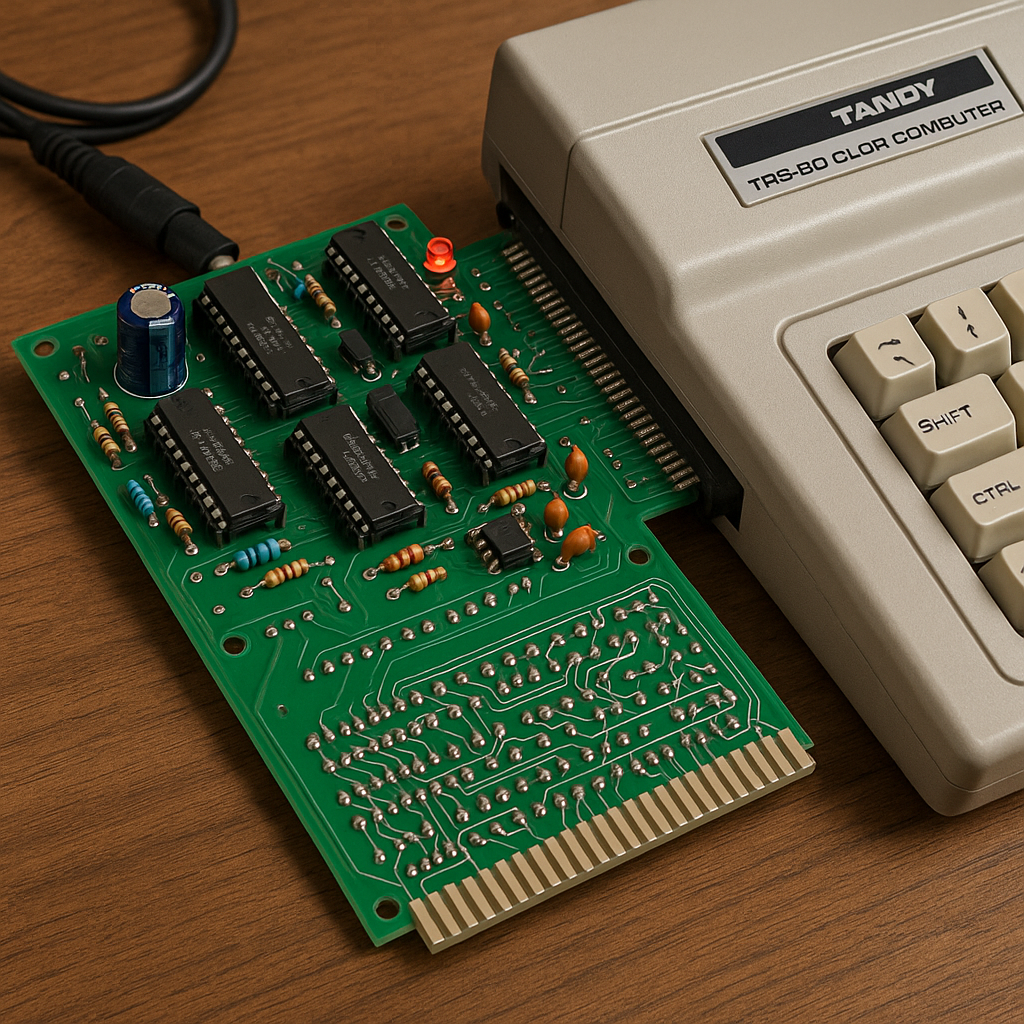
Some online presentations feature live assembly videos, where an expert solders a VGA converter or adds a controller for an SD card. This visual sharing makes access easier for those who do not have soldering experience.
Notable Projects and Innovations
Video Converters and Display Extensions
One of the first quests of tinkerers was to adapt the original composite video output to modern screens. The CoCo VGA adapter went through several iterations: the first prototype used discrete logic circuits, then quickly FPGAs to handle scaling. The goal: to obtain a sharp image on a 4:3 LCD monitor without excessive flicker.
Storage and Navigation
The original cassette players have given way to more reliable systems:
- SD/SDHC adapters mounted on expansion bus
- Firmware allowing navigation through a text menu
- Compatibility with .dsk and .cas files emulating diskette and cassette
Remakes and Original Games
On the software side, some have recreated classics: 16-color clones of Pac-Man or Frogger, featuring MIDI music. Others have embarked on creating original works, taking advantage of the MC6847 sprite engine to offer smooth animations. The code is often documented, with abundant comments and compilation tools provided free of charge.
Summary Table of Homebrew Projects
| Project | Author | Description |
|---|---|---|
| CoCo VGA | David L. | FPGA adapter for VGA output at 640×480, 60 Hz. |
| SDCart32 | Jessica M. | SDHC module with text interface and fast loading. |
| Pac-Man Color | Alan B. | Multicolor remake of the classic, chip-tune music. |
Resources and Communities
For those wishing to start, several portals offer tutorials and ready-to-solder kits. The most dedicated subscribe to specialized newsletters or participate in virtual meetings. Furthermore, to understand the evolution of the microcomputer towards modern gaming, it is interesting to consult the timeline of gaming computers and identify the major evolutions of gaming computers, where the CoCo is among the pioneers of an emerging scene.
FAQ
- What is a homebrew project for the CoCo?
- These are non-commercial creations made by amateurs: expansion boards, software, game remakes, generally distributed for free.
- What do I need to get started?
- A CoCo (model 1 or 2), a soldering iron for kits, an SD or cassette player depending on the project, and access to source code often published on GitHub.
- Where can I find schematics and source code?
- On mailing lists (CoCoList), GitHub, Retrocomputing forums. Many creators provide PDF schematics and GIT repositories.
- Can the CoCo compete with a modern PC?
- Not in terms of overall performance, but it offers an authentic experience combining low-level programming and technical constraints, a source of creativity.
